

Continuous control monitoring (CCM) is an automated approach that continuously evaluates IT environments, enterprise applications, networks, and transactional systems against predefined controls. By replacing periodic manual sampling with continuous controls testing, organizations can detect control failures, identify compliance drift, improve audit readiness, and strengthen enterprise risk management.
1. The Paradigm Shift: From Periodic Audits to Real-Time Assurance
Modern application development and cloud architectures have increased the speed, scalability, and flexibility of enterprise IT environments. Technologies such as elastic cloud infrastructure, distributed microservices, and continuous deployment enable organizations to innovate faster. However, they also increase system complexity and expand the enterprise attack surface.
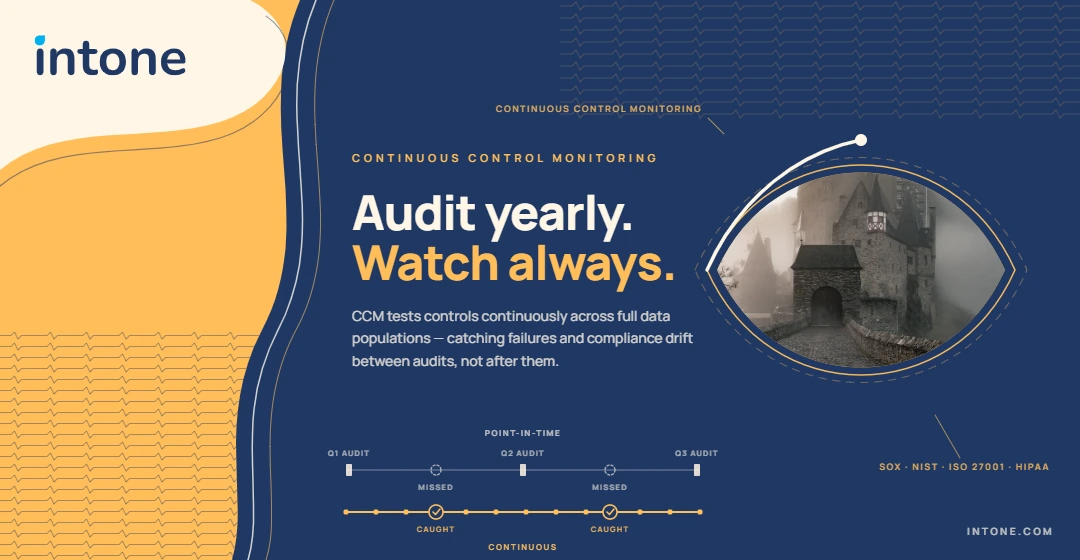
Traditional point-in-time audits can leave organizations with limited visibility between assessment periods. When controls are tested only quarterly or annually, a misconfigured firewall, unauthorized privilege change, or failed transactional control may remain undetected until the next review.
This creates compliance drift and increases the risk of security incidents, operational disruptions, financial losses, and regulatory penalties.
Continuous control monitoring addresses this gap by continuously collecting and analyzing system data against predefined control requirements. Instead of waiting for the next audit cycle, organizations can identify control failures and potential risks as they occur.
2. Point-in-Time Auditing vs. Continuous Control Monitoring
The key difference between traditional auditing and continuous control monitoring is the frequency and scale of testing.
Point-in-Time Auditing
Traditional audits generally rely on periodic assessments and sample-based testing. Auditors review selected transactions, configurations, access records, or other evidence during a specific period. While this approach can provide valuable assurance, it may not identify changes or control failures that occur after the assessment.
Evidence collection is also frequently dependent on manual screenshots, spreadsheets, reports, and documentation, which can increase the time and effort required for audit preparation.
Continuous Control Monitoring
CCM continuously evaluates controls using automated data collection and testing. Rather than relying exclusively on periodic samples, organizations can monitor larger or complete data populations depending on the control and available data source.
When a control violation or anomaly is detected, the monitoring system can generate an alert and initiate a predefined remediation workflow.
This enables organizations to:
- Monitor controls continuously rather than only during scheduled audits.
- Detect control failures closer to the time they occur.
- Automate evidence collection and documentation.
- Reduce dependence on manual spreadsheets and screenshots.
- Maintain greater visibility into the current compliance posture.
- Improve audit readiness throughout the year.
3. How Continuous Control Monitoring Works
Implementing continuous controls testing involves connecting enterprise data sources, defining control requirements, automatically evaluating system activity, and recording the results.
1. Data Ingestion
A CCM platform collects relevant telemetry, logs, configuration information, transactional data, and metadata from enterprise systems.
Depending on the environment, data may come from cloud platforms, ERP systems, identity and access management solutions, databases, security tools, and other business applications through APIs, connectors, or agents.
2. Control Baseline Definition
Organizations define the policies and control requirements that systems should continuously satisfy.
These requirements can be mapped to regulatory frameworks and security standards such as SOX, NIST, ISO 27001, and HIPAA, as well as internal business policies.
The requirements are then translated into automated rules that can be evaluated against incoming system data.
3. Continuous Testing
The monitoring engine continuously evaluates collected data against established control baselines.
Depending on the control, testing can identify issues such as unauthorized configuration changes, excessive privileges, segregation-of-duties conflicts, unusual transactions, or deviations from approved security policies.
4. Automated Alerting and Remediation
When the system identifies a control failure or anomaly, it can generate an alert and notify the appropriate control owner.
Organizations can also integrate CCM workflows with IT service management and ticketing systems to automatically assign remediation tasks, establish deadlines, and track resolution.
5. Centralized Evidence and Audit Trails
CCM platforms can automatically record test results, timestamps, control failures, alerts, and remediation activities.
This creates an ongoing record of control performance that can support internal and external audit activities and reduce the need for teams to manually gather evidence.
4. Key Benefits of Automated Continuous Controls Monitoring
Moving from periodic manual reviews toward continuous monitoring can provide significant operational and governance benefits.
Saves Time and Accelerates Response
Automated monitoring reduces the need for teams to manually review large volumes of system data. When an anomaly is detected, alerts can be routed directly to the appropriate business or IT owner, allowing issues to be investigated sooner.
Reduces Audit Preparation Effort
Automated evidence collection can reduce dependence on screenshots, spreadsheets, email requests, and manual documentation. Instead of assembling evidence shortly before an audit, organizations can maintain an ongoing record of control performance.
Improves Executive and Management Visibility
Continuous monitoring can provide dashboards and reporting that help leadership understand the organization’s current control and risk posture.
This gives decision-makers more timely information than relying solely on reports prepared during periodic audit cycles.
Enables Earlier Risk Detection
CCM can help organizations identify configuration changes, access violations, policy deviations, and unusual transactions earlier. Early detection allows control owners to investigate and remediate issues before they develop into larger security, compliance, or operational problems.
Supports Control Self-Assessment
Continuous monitoring gives business and operational teams greater visibility into the controls they own. Instead of depending entirely on centralized compliance teams to identify issues, control owners can receive actionable information about their own environments.
5. Industry Applications of Continuous Control Monitoring
Continuous control monitoring can be applied across industries, with specific controls and monitoring requirements determined by each organization’s regulatory and operational environment.
Financial Services and Banking
Financial institutions manage sensitive financial data, complex transactions, privileged access, and strict regulatory requirements.
CCM can continuously monitor segregation-of-duties conflicts, privileged access, transaction thresholds, IT general controls, and other financial or operational controls. It can also support compliance programs involving frameworks such as SOX and help connect activities across different lines of defense.
Healthcare and Life Sciences
Healthcare organizations manage sensitive patient and clinical information across increasingly complex technology environments.
CCM can monitor identity and access permissions, database activity, configuration changes, and other security controls relevant to protecting sensitive information and supporting regulatory requirements such as HIPAA.
Manufacturing and Supply Chain
Manufacturing organizations often operate interconnected IT and operational technology environments.
Continuous monitoring can help evaluate access controls, supply chain transactions, system configurations, and operational controls. Detecting deviations earlier can help organizations reduce operational risk and prevent issues from contributing to production interruptions.
6. Enhancing Audit Readiness Through Internal Audit Automation
Point-in-time testing can create gaps in visibility between formal assessment periods. Continuous controls testing provides a way to monitor control performance throughout the year.
Internal audit automation can further reduce manual effort by automatically collecting relevant evidence, executing predefined tests, documenting results, and generating reports.
When integrated with GRC monitoring capabilities, these processes give compliance and audit teams greater visibility into control performance and potential compliance gaps.
The result is a more proactive approach to audit management, where teams can address control deficiencies before they become major audit findings rather than discovering them immediately before an audit.
7. Strategic GRC Implementation Framework
Organizations planning to implement continuous control monitoring should begin with their highest-priority risks and controls rather than attempting to automate everything simultaneously.
1. Catalog Control Objectives
Identify regulatory obligations, internal policies, business risks, and existing control objectives.
Prioritize controls associated with high-risk processes, sensitive systems, financial transactions, privileged access, and regulatory requirements.
2. Identify Relevant Data Sources
Determine which systems contain the information required to test each control.
Common enterprise sources can include AWS, Microsoft Azure, SAP, Salesforce, Active Directory, databases, security platforms, and other business applications.
3. Automate High-Priority Controls
Start by automating controls that are high-risk, frequently tested, or highly dependent on large volumes of data.
Examples include IT general controls, access management controls, segregation-of-duties checks, configuration monitoring, and selected financial transaction controls.
4. Establish Remediation Workflows
Define who is responsible for responding to each control failure and establish appropriate remediation timelines.
Integrating alerts with ticketing or IT service management platforms can help automatically assign issues to the correct owners and track them through resolution.
Why Choose Intone EagleEye365®
In a rapidly changing enterprise environment, organizations need more than periodic assessments to understand their current control and risk posture.
Intone EagleEye365® is designed to provide continuous monitoring and automated control validation across complex enterprise environments.
Key capabilities include:
Unified Enterprise Platform
EagleEye365® brings together capabilities for security, risk management, incident response, data visualization, continuous control monitoring, and compliance management within a unified platform.
Extensive Integration
The platform connects with 1000+ prebuilt connectors, enabling organizations to collect and analyze information across diverse technology environments.”
Low-Code Architecture
Its low-code approach supports configurable workflows and multi-system integrations without requiring organizations to build every monitoring process from scratch.
Security and Compliance Capabilities
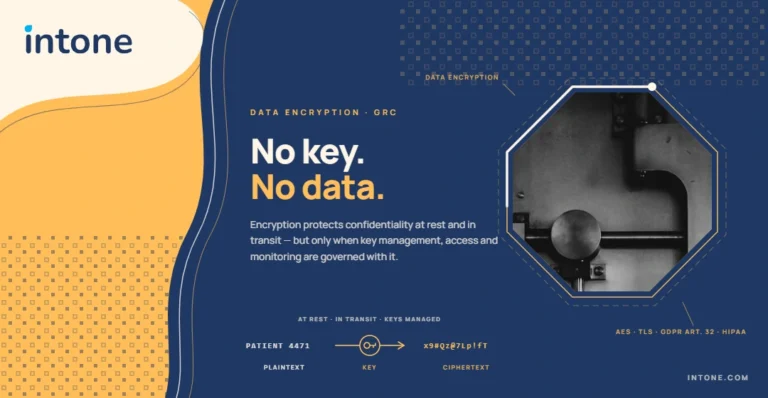
EagleEye365® supports enterprise security and compliance requirements through capabilities such as SSL and AES-256 encryption, data anonymization, workflow automation, and support for compliance requirements including SOX.
How EagleEye365® Enables Continuous Control Monitoring
EagleEye365® enables organizations to move from periodic, manual control reviews to continuous control monitoring by automating control testing, evidence collection, remediation workflows, and audit readiness across enterprise environments.
Automated Control Testing
EagleEye365® continuously evaluates system activity and enterprise data against predefined control requirements. By automating control testing, organizations can identify control failures, policy deviations, unauthorized changes, access violations, and other exceptions closer to when they occur rather than waiting for the next audit cycle.
Automated Evidence Collection
Instead of relying on manual screenshots, spreadsheets, and repeated evidence requests, EagleEye365® can automatically collect and maintain relevant control evidence from connected enterprise systems. This creates a centralized record of control activity and test results that can support ongoing compliance monitoring and audit preparation.
Remediation Workflows
When a control failure or exception is identified, EagleEye365® can trigger alerts and predefined workflows to help route issues to the appropriate control owners. Integration with workflow and ticketing processes can support remediation tracking, ownership, deadlines, and resolution.
Continuous Audit Readiness
By continuously testing controls and maintaining evidence throughout the year, EagleEye365® helps organizations maintain greater visibility into their control posture between formal audits. Audit and compliance teams can use ongoing control results, evidence, alerts, and remediation records to reduce last-minute audit preparation and respond more efficiently to control deficiencies.
Together, these capabilities help organizations establish a continuous approach to control monitoring, allowing control owners, risk teams, and auditors to identify issues earlier, maintain evidence more efficiently, and improve year-round audit readiness.
FAQ’s
Continuous control monitoring (CCM) is an automated approach for continuously evaluating IT environments, enterprise applications, networks, and transactions against predefined controls. It helps organizations identify control failures, security risks, and compliance issues more quickly.
Continuous control monitoring continuously tests controls and identifies exceptions, while continuous auditing uses ongoing data and automated analysis to provide broader audit assurance.
Continuous controls testing automatically evaluates control performance and collects supporting evidence throughout the year. This reduces the need for last-minute manual evidence gathering and helps organizations maintain ongoing audit readiness.
Internal audit automation reduces manual testing and evidence-collection activities by automating control evaluations, documentation, reporting, and audit workflows. This allows audit and compliance teams to focus more on analyzing risks and resolving control deficiencies.
GRC monitoring services provide ongoing visibility into controls, risks, and compliance requirements. They can help organizations detect compliance gaps earlier, respond to control failures, and maintain stronger governance across complex enterprise environments.
EagleEye365® connects with more than 240 data sources to support continuous control monitoring, automated control testing, workflow integration, evidence collection, and enterprise risk visibility.
Is your organization exposed to compliance gaps, control failures, and tedious manual audit preparation between periodic reviews?
Intone EagleEye365® provides a unified enterprise platform that automates continuous controls testing across security, risk management, incident response, and compliance. Connecting seamlessly with over 240 data sources and enterprise applications through a low-code architecture, EagleEye365® continuously evaluates system activity, triggers automated remediation workflows, and automatically gathers centralized audit evidence. Protect your enterprise with AES-256 encryption, eliminate manual spreadsheet testing, and achieve year-round audit readiness effortlessly.